


Why Your Website’s Broken Links Are Costing You Customers
Subscribe to our newsletter
Keep up with the latest news in the digital marketing arena with Klik Digital. Subscribe Now!
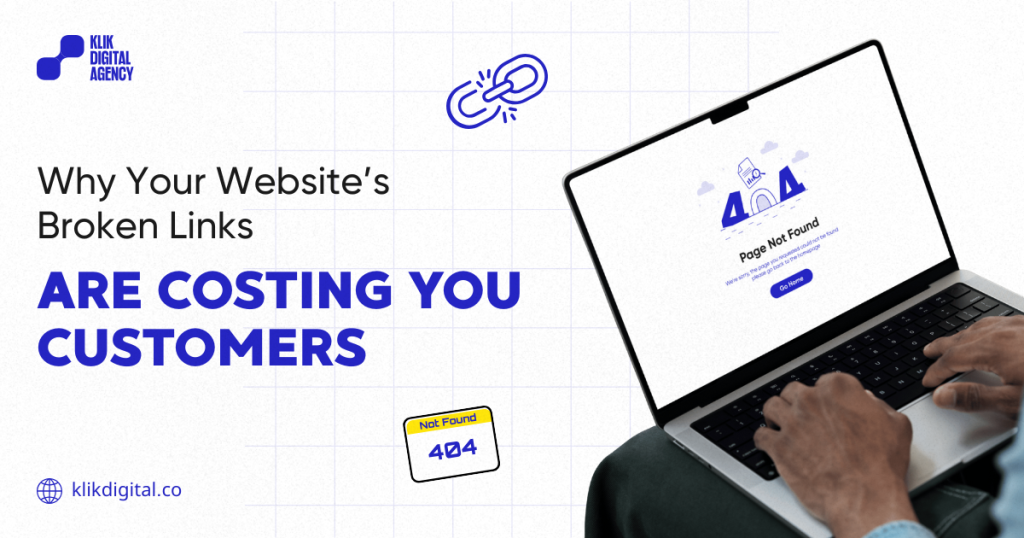
We spend a lot of energy making our websites look great, obsessing over the brand colors, the copy, and the overall “vibe.” But nothing kills that momentum faster than a link that leads nowhere. It’s the digital equivalent of a “Closed” sign on a door you were just invited to walk through.
While a 404 error might seem like a minor technical issue, it’s actually a quiet drain on your ROI. When a user hits a dead end, the frustration is instant, and they usually don’t stick around to give you a second chance. Beyond just annoying your visitors, “link rot” creates invisible barriers for SEO and AI search tools that are trying to map out your services.
Klik Digital doesn’t look at fixing broken links as a routine task. We see it as a way to stop losing the leads you’ve already worked hard to earn. Discover how these small errors impact your bottom line and how you can reclaim your site’s authority.
What Exactly Are Broken Links? (Internal vs. External)
Before diving into the damage, we must define the two types of link errors that plague modern websites.
- Internal Broken Links: These occur when one page on your website links to another page on your same domain that no longer exists. This often happens after a page is deleted, a URL is changed without a proper redirect, or a typo is made during the content upload process.
- External Broken Links: These are links on your site that point to a different domain. Over time, the websites you reference might go offline, change their structure, or move content. When this happens, your site is essentially pointing your visitors toward a dead end.
Both types are problematic, but they impact your business in different ways. Internal breaks stop the customer journey cold, while external breaks make your content look dated and poorly researched.
The Psychology of Disappointment: How Broken Links Damage Trust
Trust is the most expensive currency in business. It takes months to build and seconds to destroy. When a potential lead lands on your site via a social media post or a paid ad, they are in an evaluative mindset. They are looking for reasons to trust you or reasons to leave.
Imagine a user navigating your site. They find a blog post that solves a problem they’re facing. They see a call-to-action that says, “Download our Pricing Guide.” They click it, expecting a solution, but instead, they are met with a cold, generic 404 error page. At that moment, the psychological contract is broken. The user thinks:
- “Is this company still in business?”
- “If they can’t maintain their own website, can I trust them with my project?”
- “Are their products as neglected as their links?”
For eCommerce teams, this is even more critical. If a “Buy Now” button or a product category link is broken, you aren’t just losing a click. You are handing that customer directly to a competitor who has a functional path to purchase.

The Impact of 404 Errors on User Behavior and Conversions
User experience (UX) and SEO are now inextricably linked. Google’s algorithms increasingly prioritize “Page Experience” signals. When users encounter 404 errors on a website, their behavior changes immediately and not in your favor.
The “Pogo-Sticking” Effect
When a user clicks a link from a search engine, hits a broken page, and immediately clicks the “back” button to return to the search results, it’s called “pogo-sticking.” To search engines, this is a clear signal that your website did not provide the value the user was looking for.
Mobile Impatience
On mobile devices, the frustration of a broken link magnifies. Mobile users often have less time and less real estate onscreen. A broken link on a smartphone feels like a dead end that requires too much effort to navigate around. Most mobile users will simply close the tab, resulting in a lost lead that you likely paid for through PPC or social media marketing.
Why Broken Links Hurt SEO Crawlability and Indexation
From a technical standpoint, broken links SEO impacts are devastating because they interfere with how search engines “see” your site.
Google uses “spiders” or “bots” to crawl the internet. These bots follow links to discover new content and understand the relationship between pages. Every website is assigned a “crawl budget”—the amount of time and resources a bot will spend on your site.
When a bot hits a broken link, it reaches a dead end. This wastes your crawl budget. If your site is riddled with website link errors, the bots may stop crawling before they reach your most important revenue-generating pages. This leads to
poor indexing. New content takes longer to show up in search results. In addition, you can experience a drop in rankings. Google rewards websites that provide a seamless experience. A high frequency of errors suggests a neglected site, which Google is less likely to recommend to its users.

The New Frontier: AI Summaries and Search Visibility
As we move into the era of AI-powered search (like Google’s Search Generative Experience or Perplexity), the health of your links has never been more important.
AI models generate summaries by “reading” and connecting data points across your website. If an AI bot attempts to verify a claim or find a product detail on your site but encounters a broken link, it cannot include that information in its summary.
If your internal links are broken, the AI cannot map the hierarchy of your expertise. Essentially, you are making yourself “invisible” to the very algorithms that are beginning to dictate how consumers find information. For a business to be a “source of truth” for an AI, its technical foundation must be flawless.
Internal Linking Breakdown and Lost Page Authority
SEO professionals often talk about “link juice” or Page Authority. This is the “ranking power” that a page accumulates through backlinks and high-quality content.
Through strategic internal linking, you can pass this authority from your high-performing pages (like a viral blog post) to your “money pages” (like a service or checkout page). However, internal links broken act as a leak in this system. Instead of the authority flowing through your site to boost your rankings, it hits a 404 error and evaporates.
By fixing broken links, you aren’t just cleaning up; you are effectively “re-plugging” your SEO ecosystem, ensuring that every ounce of authority you’ve earned is working toward your business goals.
Common Causes of Broken Links: Why They Happen
Even the best-managed websites fall victim to link rot. Understanding the causes can help you prevent them:
- Site Redesigns and Migrations: This is the #1 cause. When moving to a new platform or changing your site structure, URLs often change. If 301 redirects aren’t perfectly implemented, thousands of links can break overnight.
- Content Deletion: A marketing manager deletes an old product or blog post but forgets that five other pages were linking to it.
- URL Changes for SEO: You might “optimize” a URL (e.g., changing/services-2023/to/services/) but forget to update the internal links pointing to the old version.
- Typos: Simple human error—adding an extra “s” to https or a typo in the slug can create a broken link instantly.
- External Site Changes: You link to a reputable industry study, but that website goes down or moves the page.
Why They Go Unnoticed on “Good-Looking” Websites
Many marketing managers assume that because their homepage looks beautiful and their latest campaign is running, the site is healthy. However, broken links are often buried in the “long tail” of a website—old blog posts, deep-layer category pages, or footer links that no one clicks daily. While they may not be on your homepage, they are still being crawled by Google and found by users searching for specific, niche topics. This is why SEO technical issues are so dangerous; they are invisible until you look for them with the right tools.
Maintenance: How Often Should You Check?
Website maintenance shouldn’t be a “once a year” project. For most businesses, we recommend the following cadence:
- Enterprise/Ecommerce: Weekly or bi-weekly. With hundreds of products and frequent updates, the margin for error is high.
- Mid-Sized B2B: Monthly. This ensures that content updates and marketing campaigns haven’t inadvertently broken the user journey.
- Small Business/Brochure Sites: Quarterly. Even if you aren’t adding content, external links can still rot.
Best Practices for Fixing and Preventing Link Issues
Fixing broken links is one of the highest-ROI activities you can perform for your website’s health. Here is how to handle it:
- Use 301 Redirects: Never just delete a page. Always redirect the old URL to the most relevant new page. This “points” the user and the search engine to the next best destination.
- Audit Regularly: Use tools like Google Search Console, Ahrefs, or Screaming Frog to identify 404 errors.
- Create a Custom 404 Page: If a user does hit a dead end, don’t show them a white screen with “Error 404.” Create a branded, helpful page that says, “Oops! We can’t find that, but here are some other things you might like,” including a search bar or links to your top services.
- Prioritize High-Traffic Pages: Start by fixing links on pages that receive the most traffic. A broken link on your “Contact Us” page is a much higher priority than one on a blog post from 2017.
Broken links are more than just website maintenance issues. They are a direct threat to your conversion rates and your brand’s reputation. So, fixing these issues is a business priority. It protects your SEO investment, ensures you are ready for the future of AI search, and—most importantly—proves to your customers that you value their time and their experience.
Is your website working as hard as it should be? Don’t wait for your traffic to dip before taking action. Audit your website for broken links today and prioritize the fixes that protect your trust, your traffic, and your conversions. If you need a comprehensive technical audit, the Klik Digital team is here to help you turn your website back into a high-performing digital storefront.
FAQ
Yes. While a few 404s won’t get you banned from Google, a pattern of broken links signals poor site maintenance, wastes crawl budget, and increases bounce rates—all of which lead to lower rankings over time.
Every broken link is a point of friction. In a world where customers expect instant gratification, a “Page Not Found” error is often the final reason a user clicks on your competitor’s link.
There is no “magic number,” but your goal should always be zero. Even one broken link on a high-intent page (like a checkout or booking page) can have a measurable impact on your bottom line.
A 404 error means the page is “Not Found” but might return. A 410 error means the page is “Gone” permanently. Using a 410 tells Google to remove the URL from its index faster, which is useful for pages you have intentionally deleted and do not wish to redirect.
For most active businesses, a monthly audit is the gold standard. This allows you to catch errors before they significantly impact your SEO or user trust.
Yes. AI models rely on crawling and understanding your site’s structure. If your internal links are broken, the AI cannot accurately map your content, which may result in your business being excluded from AI-generated summaries and recommendations.
